
Write the action before the atmosphere
A useful prompt answers three questions: what moves, how it moves, and what the camera does. Add a constraint only when it resolves a specific ambiguity.
“A peaceful, cinematic scene” describes a mood but leaves the action open. “The curtain moves slightly toward the open window while the camera stays fixed” gives the model a visible task. The picture already supplies much of the room's appearance; repeating its furniture, colors and decorations can bury that task.
Separate movement into three categories. Subject motion changes a person, animal or object. Environmental motion changes something around it, such as water or fabric. Camera motion changes the viewpoint. You can combine them, but choose one main event for the first attempt. That makes the result easier to evaluate.
Scale matters as much as speed. A slow movement can still travel a long distance. “A tiny sway” limits the requested extent; “a slow sway” describes its pace. Use both when both matter.
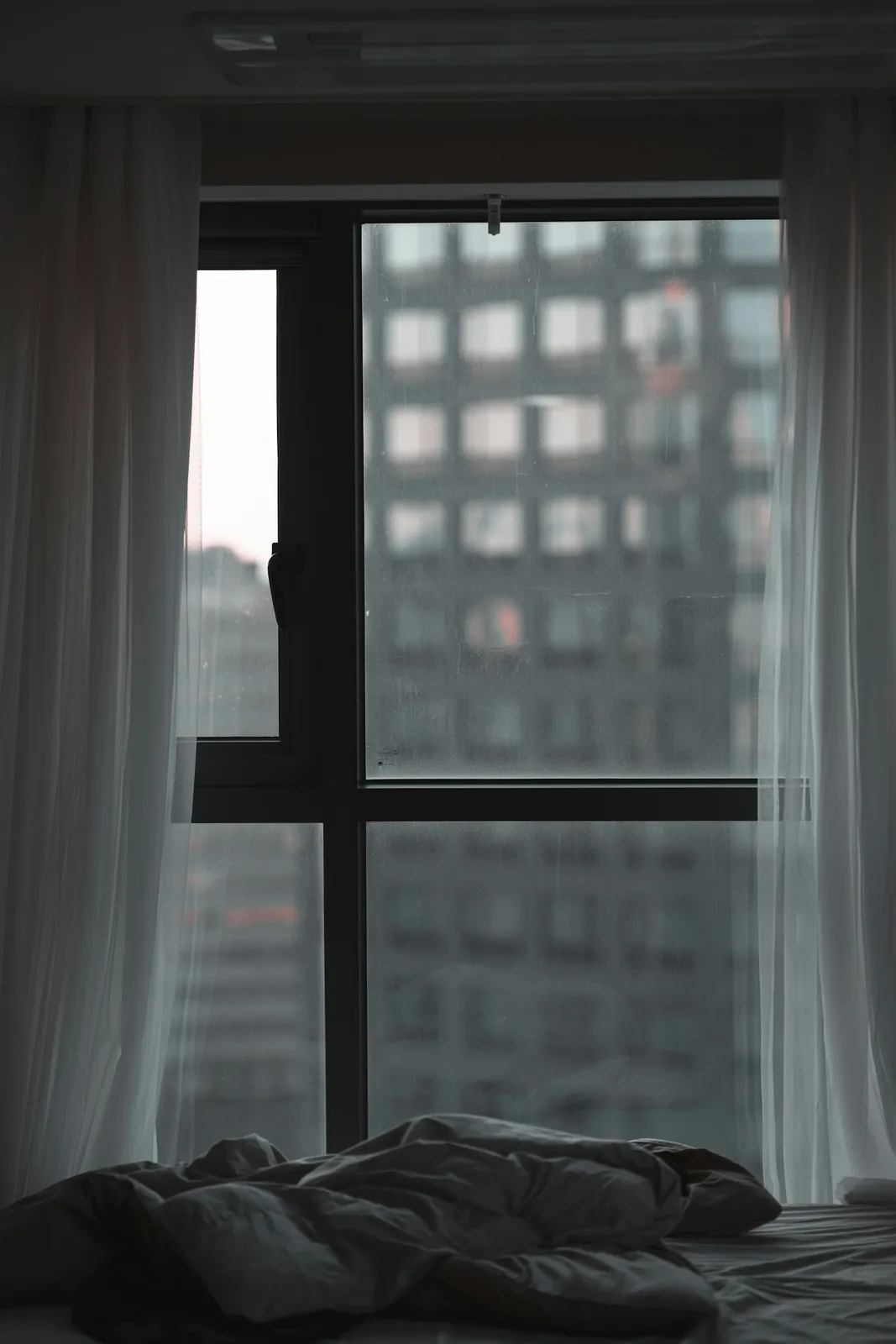
Subject: the curtain. Action: a small shift in the fabric. Camera: fixed.
Six image animation prompts to adapt
A reader briefly looks up
The reader lifts their gaze from the open book toward the left side of the frame. The head makes only a slight adjustment, and the hands stay resting on the book. Keep the camera fixed.
Choose an image where the face and open book are already visible. The gaze change is the main event; a page turn would introduce another task. Inspect the eyes, fingers and book edges throughout the clip. A plausible final pose does not mean the frames between poses are equally convincing.
Steam above a cup
The visible steam rises in thin, irregular wisps and disperses above the cup. Keep the cup and table still. Use a fixed viewpoint and a quiet, continuous pace.
This suits a source that already contains visible steam. Look for movement in the wisps rather than changes to the cup's rim. If steam becomes a thick cloud, revise its density before adding camera movement. The prompt describes an imagined continuation of the photograph, not evidence that the drink was actually hot.
The loose end of a ribbon
The loose ribbon tip lifts slightly, curls once, and settles near its starting position. Keep the tied knot and box in place. Hold the camera steady throughout the movement.
Use a picture with a clearly separated ribbon end. A tiny, partly hidden tip gives you little space to judge the action. Check whether the knot slides or the box bends. Returning near the starting position is a creative request, not a guarantee that the clip will form a clean loop.
Rain rings in a street puddle
Small raindrops create expanding rings across the visible puddle. Keep the surrounding pavement and building edges stable. The camera stays still while the ripples overlap at an uneven rhythm.
This concentrates movement in a surface rather than a whole scene. Compare reflections with the source, especially where they meet the puddle's edge. If the entire street appears to undulate, simplify the request to fewer ripples. Do not add passing vehicles or pedestrians until the water movement is useful on its own.
An illustrated owl tilts its head
The illustrated owl makes a small head tilt to one side and pauses. Keep its body facing forward and retain the drawing's simple painted shapes. Use a fixed camera and restrained movement.
The action should fit the character's visible silhouette. Watch the eyes, beak and outline for changes in shape or style. This creates a video interpretation of the artwork, not a rig with editable joints. If the head tilt redraws too much, test a smaller tilt before requesting more elaborate behavior.
A camera approaches a bottle
The camera moves slowly closer to the bottle with a short, straight push forward. Keep the bottle upright and centered, with the existing light direction. Use a modest change in framing.
Here, the camera supplies the motion; the object has no separate action. Inspect the cap, silhouette and every printed character. A generated push can change details even when the prompt asks otherwise. When the exact label matters most, a conventional zoom on the original image is the more predictable choice.
Choose camera language deliberately
A fixed camera requests a stable viewpoint while something inside the frame moves. A pan asks the viewpoint to turn sideways. A push-in asks it to move closer. An orbit asks it to travel around the subject, potentially revealing surfaces absent from your photograph.
These are directions, not precision controls. A model may approximate a camera move or mix it with subject motion. Avoid combining “fixed camera” with “orbit around the object” in one prompt. If you want a stationary subject and a moving camera, say that explicitly. Remember that newly revealed sides, reflections and background areas must be invented when the source does not show them.
Revise one variable at a time
Imagine animating a hanging paper star. Begin with:
The hanging paper star sways through a small arc. The camera stays fixed.
If the movement feels rushed, change only its pace:
The hanging paper star sways slowly through a small arc. The camera stays fixed.
If the slower movement still travels too far, change only its extent:
The hanging paper star sways slowly through a tiny arc. The camera stays fixed.
Keep the same source, model and comparable output settings while testing. Save each exact prompt with its result and write an observation such as “the star's string bends halfway through.” That note identifies a problem more usefully than “not realistic.”
Separate generations can vary even with identical instructions. One improved result does not prove that a particular word always works. Look for a repeatable direction, and stop revising when the remaining problem requires a different source or animation method.
Diagnose the movement you actually see
| What happened | One useful next test |
|---|---|
| Several objects move unexpectedly | Remove secondary actions and name one moving subject. |
| The camera overwhelms the action | Replace its movement with a fixed-view request. |
| Movement is gentle but too large | Reduce its distance or arc, not just its speed. |
| New objects appear | Remove scene changes and simplify the action sequence. |
| Lettering changes repeatedly | Switch to deterministic movement of the original image. |
Know which requirements belong in controls
Image animation prompts express intentions; they do not lock identity, lettering or background pixels. Repeating “preserve everything exactly” does not turn generation into a pixel-preserving transformation.
Select clip duration, resolution and other available output settings in the tool. Writing “ten seconds” in a prompt does not override the selected model's supported duration. Similarly, text requesting a motion brush does not create a region-control feature. Native region guidance must be supported by both the tool and selected model. Compositing generated motion inside a mask is a different method, with edges that need checking.
A loop request also needs playback inspection. Compare the end with the beginning before deciding whether the restart is acceptable. Use supported controls for enforceable requirements and reserve prose for the creative direction those controls cannot express.
Before your next generation
Read the prompt beside the actual source. Does each instruction refer to something visible or a change you genuinely want invented? Is there one clear event? Have you removed conflicting camera directions?
Then review the selected settings and displayed cost. A revised generation is another job, so check its quote before submitting. Keep the original image available for comparison, and inspect the full result before sharing it.
Open the image animator with your source ready, or read how to choose an animation method if your requirement needs more control than a motion prompt provides.
Motion-prompt reference: Runway’s image-to-video guide.
Sources checked: October 31, 2026.