
Compare the task and the conditions together
| Candidate | Animation category | Useful task | What to check before committing |
|---|---|---|---|
| AnimatePhoto | Generative AI | Invent movement within a photograph | Account allowance, model cost and downloadable output |
| Adobe Express | Design animation | Combine a picture with moving text or graphics | Selected effects, assets and export access |
| Canva | Design animation | Add movement to an existing composition | Free versus paid effects and design elements |
| Cloudinary image animation tool | Visible camera/effect controls | Apply whole-image movement | Current output settings and download conditions |
| Ezgif GIF maker | Supplied-frame animation | Assemble drawings or stop-motion photos | Input limits, timing and the resulting GIF |
The categories describe the workflows discussed here, not everything each company offers. An editor may have both conventional animation and separate AI features. Check the specific feature you intend to use.
A practical shortlist
AnimatePhoto for generated movement
AnimatePhoto presents an image-upload workflow with motion instructions, model selection and credit-related controls. It is a relevant candidate when something within the picture needs to change, rather than simply moving the picture across a canvas.
Open its pricing page, then inspect the allowance and submission conditions shown in your actual account. A free claim on a landing page does not establish the cost of your selected model, duration or output. We do not promise a particular trial balance, watermark policy or number of usable attempts.
Adobe Express for a designed composition
Adobe Express's animated-image page describes image movement alongside animation for text and graphics. It also describes an MP4 download route. That combination is relevant to a promotional card where the photograph is only one component.
Check the precise effect, template and assets in your project before developing the full design. Access to an editor does not establish that every asset or export choice is included. Keep important wording readable while the other elements move.
Canva for movement within a layout
Canva's photo animation page distinguishes a free effect selection from additional Pro options. It is worth investigating when a design already contains your photographs, headings and graphic elements, and you want to animate that composition.
Test the chosen effect and download format early. A premium element elsewhere in the design can matter as much as the animation setting. Do not treat a preview of an effect as confirmation that your whole project is ready for a free export.
Cloudinary for visible image effects
Cloudinary's image animation tool exposes controls for effects such as pan and zoom. Those controls describe movement applied to the image; an AI label in a page address is not proof that the visible form generates a new action inside a photographed subject.
Consider it for a straightforward image move, then inspect the current output and download choices. Its interactive tool and wider developer platform are different offerings; do not infer free API or bulk-processing access.
Ezgif when you already have the frames
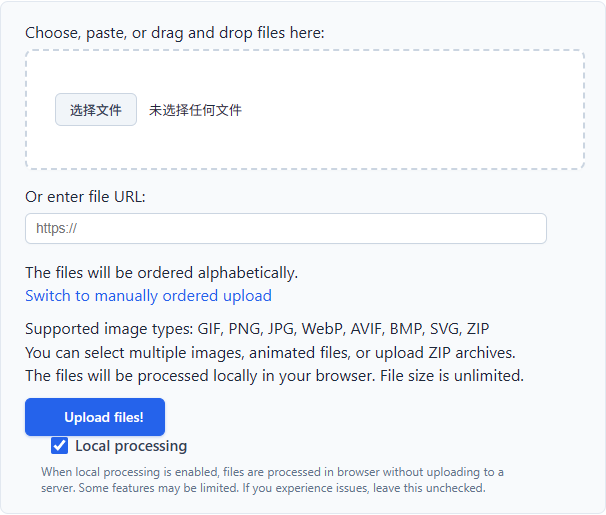
Ezgif's GIF maker is a direct candidate for an ordered sequence of drawings, product views or stop-motion photographs. You supply the images that will appear, then arrange their order and timing.
This is not the same as asking a model to invent the movement between poses. Check the specific page's processing notice before using private material, and review the final GIF for alignment, color changes and an unwanted pause at the loop boundary.
Five meanings of “free” to separate
Free editing means you can enter the editor and work. It does not necessarily include every feature or a downloadable result.
Free assets means the particular template, font, image or audio element is available under stated terms. That is separate from whether the editor itself costs money. Check intended-use rights for the assets you select.
Free preview means you can inspect something before paying. Establish whether that preview is also the file you can keep, at the dimensions you need.
Free download answers the export question. Confirm the format, resolution and watermark conditions on the actual download screen, not just in a search result.
Free credits describe an allowance for metered work. Check eligibility, expiry, supported settings and the cost shown before submission. A new AI attempt may consume more credits even if the previous result was not creatively useful.
For a strict zero-budget project, stop if the account screen does not establish a usable free route. Do not enter payment details merely to discover whether a trial matches the headline.
Test one small result before building the project
Use a non-sensitive image that resembles your real material. Decide on one target: a gentle zoom, a moving ribbon or a sequence of three drawings. Record what would make the result unusable before you start.
Then complete this check:
- Confirm the selected feature, account allowance and any displayed charge before submission.
- Download a draft and open it outside the editor. A successful preview is not a completed export test.
- Inspect dimensions, duration, watermark, file size and the first-to-last-frame transition.
- For AI motion, inspect subject shape, faces, hands and embedded text throughout playback, not only the thumbnail.
- Try the file at its intended destination. A valid download can still be cropped, recompressed or unsupported there.
Compare alternatives using the same brief, but judge each method by what it can reasonably do. A pan effect should preserve readable content within its crop; a generated head turn needs a different quality check. Our animated image formats guide helps when the obstacle is the file rather than the movement.
Make the final choice by the work you have
A finished menu usually needs controlled movement, not invented pixels. A card with separate text and photographs benefits from a design editor. Finished illustration frames belong in Ezgif or another frame-based GIF editor. A still picture that needs a new physical action belongs in a generative workflow such as AnimatePhoto or AnimateImage's AI animator, after you inspect the available allowance or quote.
No sign-in is convenient, but it does not prove that a third-party tool processes files locally. Read the processing notice before uploading client material or private photographs.
The most useful free image animation tools are the ones whose method, access conditions and actual download fit your task. Choose those three things together, and you can finish a small project without confusing a free preview with a usable result.
Sources checked: October 31, 2026.